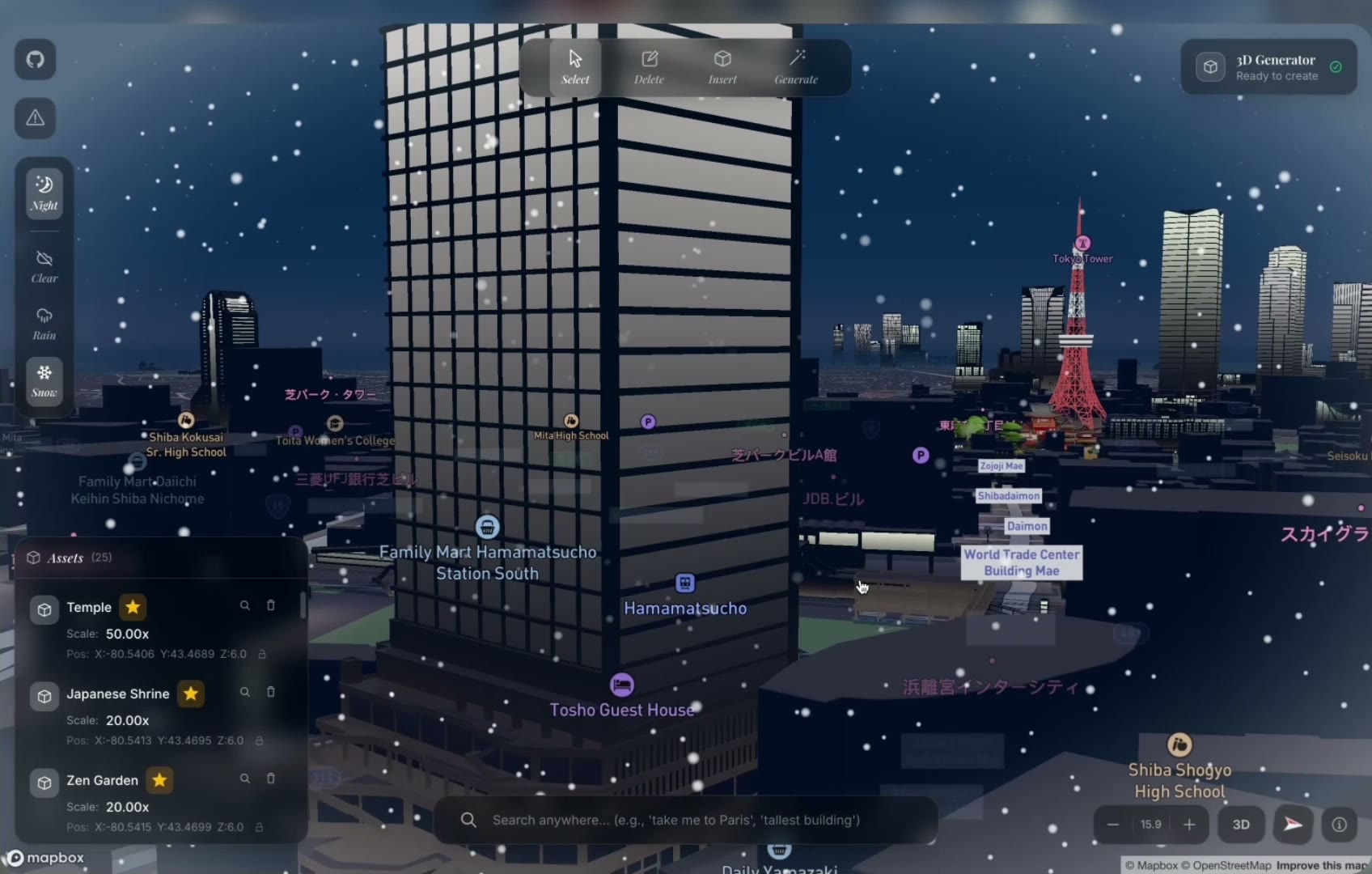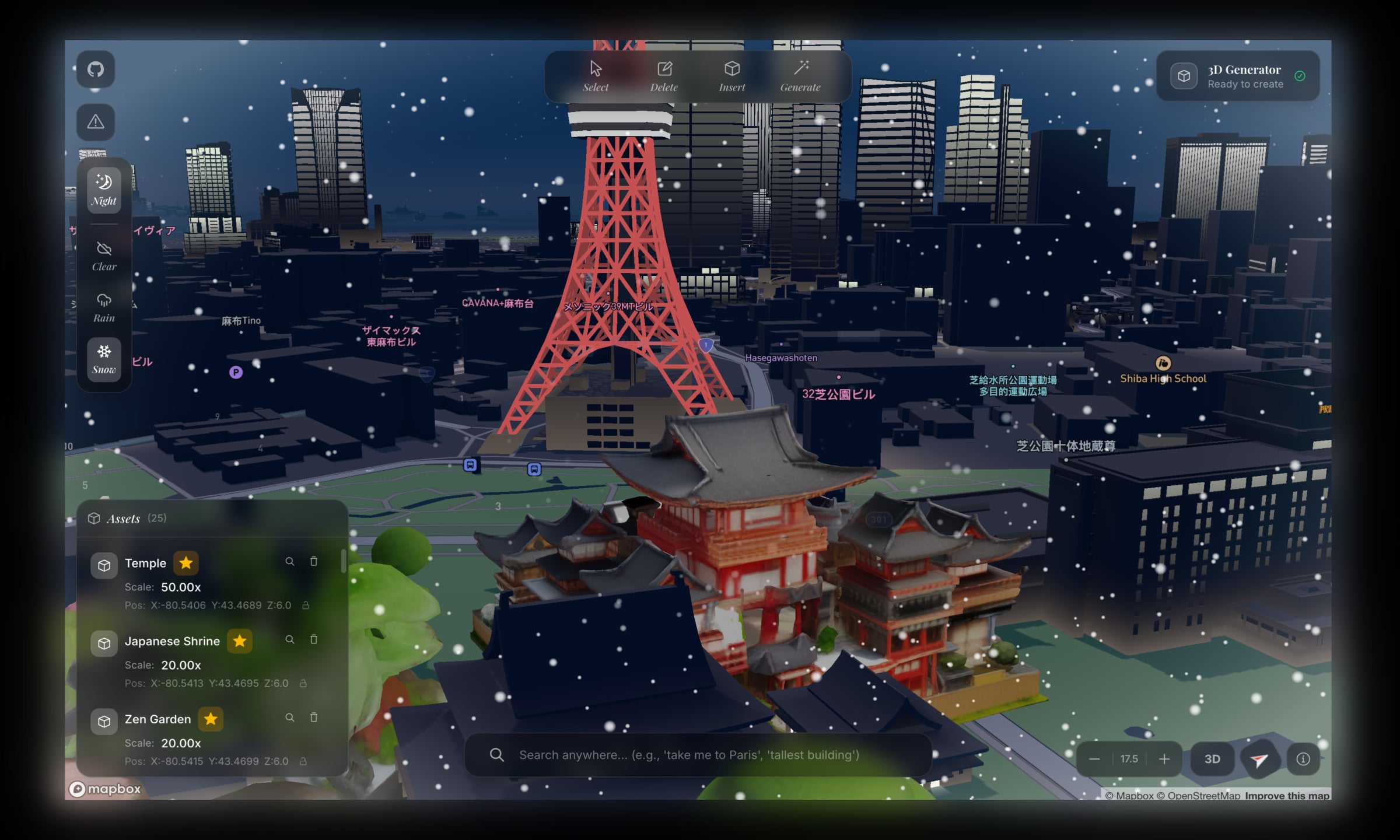
arcki is a 3d architectural playground. fly to any city on the globe, generate stunning models with the built in ai generator, and drop them onto real streets. it's at 50+ github stars and growing. architect the world the way you imagine it.
i love google maps and streetview, documented here.
i've always been fascinated with the world around us. so i decided on building a creative mode sandbox for google earth.
was also inspired by this project which was built with mapbox.
on top of the mapbox graphic library, arcki has a built in model generator. the user enters a prompt, which should be detailed, but stripped down to minimal examples could look like: "authentic japanese temple", "brutalist apartment complex", or "cn tower replica". the generated 3d model can be published to a global model library, where other users can see it, place it into their worlds, and build on top of it.
the challenge was combining three domains that don't usually work together: geospatial data, ai powered image to 3d generation, and a browser based 3d engine.
arcki is a full stack application built on mapbox gl and with a fastapi backend.
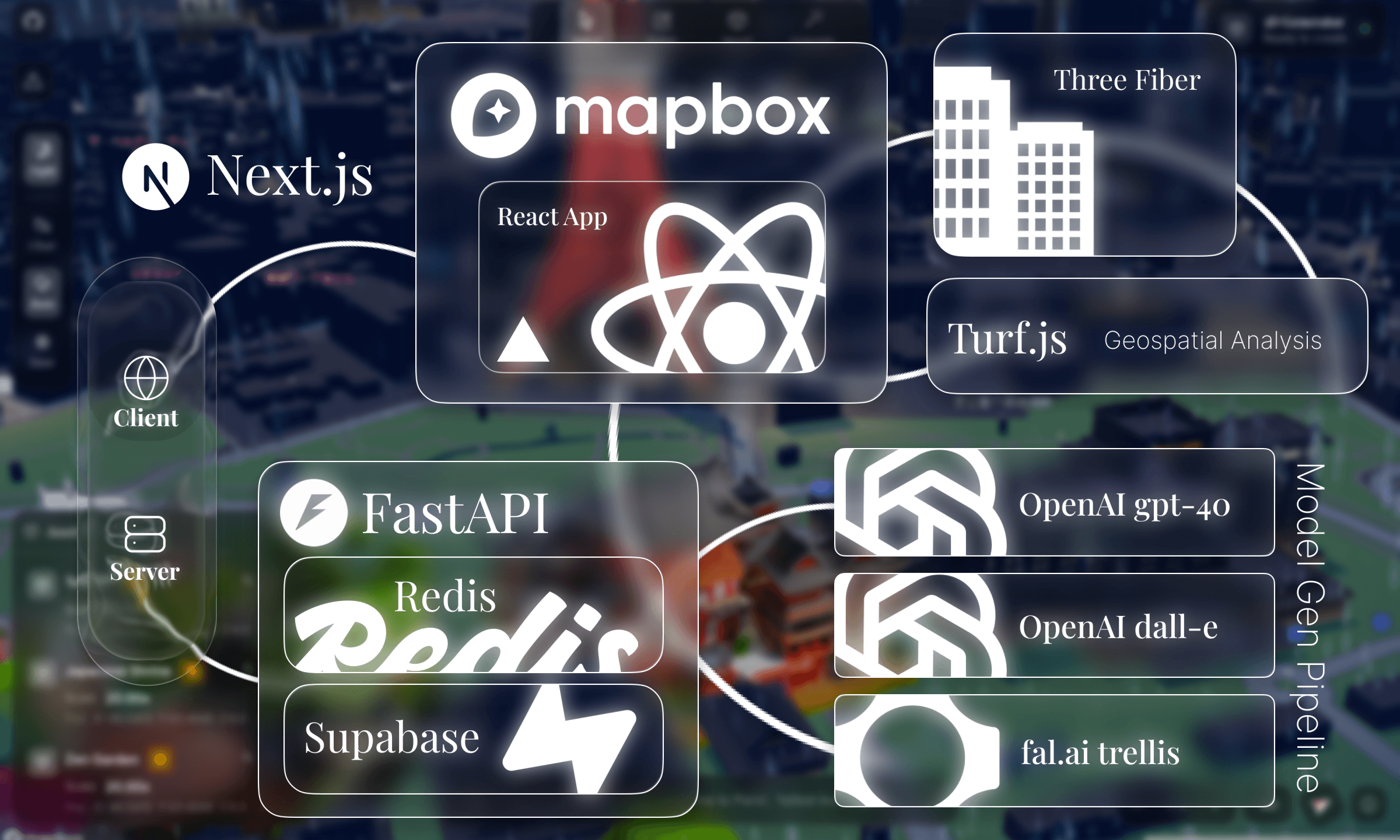
client side, arcki renders a comprehensive mapbox globe with react three fiber overlaying generated glb models. indexeddb stores model data locally, and localstorage persists world state: camera position, deleted buildings, weather settings, so scenes survive a page reload.
on the backend, fastapi orchestrates a multi stage ai pipeline: gpt-4o cleans and enhances prompts, dall-e 3 generates a reference image, and fal.ai's trellis model reconstructs a 3d mesh from it. redis tracks async jobs with ttl based expiration, with a graceful fallback to in memory storage for local development.
the whole pipeline produces a text → image → 3d model output in ~30-60 seconds.
the editor is where everything comes together. it's a 1700+ line react component integrating mapbox gl, react three fiber, and mapbox draw into a single interactive surface.
 toolbar
the toolbar provides four core modes: select, delete, insert, and generate. each mode changes how the map responds to user interaction.
in select mode, clicking a building reverse geocodes its coordinates with mapbox's api to show the building name, address, and dimensions. arcki uses turf.js to calculate real world area and dimensions from geojson polygons, converting degrees to meters with a cosine correction for longitude convergence at the poles.
delete mode uses mapbox gl draw to let you draw polygons. any building within that polygon gets removed from the extrusion layer. insert mode lets you drop custom glb files onto the map. and generate mode opens the ai panel.
transform gizmoonce a model is placed, the user can manipulate it with a custom built svg transform gizmo, similar to what you would find in blender or unity.
the gizmo is rendered entirely in svg with colored axes: red for x, green for z, blue for y. it switches between move mode (arrows) and rotate mode (elliptical rings) with real time degree readouts.
the tricky part was mapping 2d mouse deltas to 3d world transformations. horizontal mouse movement maps to x-axis movement and rotation angles, vertical movement maps to height or depth, and the center circle enables unconstrained free movement:
client/components/TransformGizmo.tsxif (dragAxis === "rotateX" || dragAxis === "rotateY" || ...) {
const deltaAngle = deltaX * 0.5;
let newRotation = (rotationStartRef.current + deltaAngle) % 360;
onRotate(rotAxis, Math.round(newRotation));
} else if (dragAxis === "y") {
onHeightChange(-deltaY * 0.1); // vertical mouse = height
} else if (dragAxis === "free") {
onMove(deltaX, deltaY);
}
these are all screen space delta calculations that get translated into geographic coordinate offsets.
generator panelthe generate panel is a three stage workflow: input → preview → placing.
users describe what they want, pick an architectural style (architectural, modern, classical, futuristic), and hit generate. the panel shows a 2d preview while the 3d model generates in the background.
a subtle optimization: 3d generation starts automatically as soon as the 2d preview is ready. so while the user is reviewing the image, the model is already being built. if they click "finish & place" immediately, they might only wait a few more seconds instead of the full generation time.
client/components/Prompt3DGenerator.tsx// Auto-start 3D generation when preview completes
useEffect(() => {
if (previewResult && workflowStage === "preview" && !threeDJob) {
start3DGeneration(previewResult.job_id);
}
}, [previewResult, workflowStage]);
the panel also supports minimization. you can close it and the generation keeps running. a minimized pill shows progress ("42% complete") and expands back to the full panel on click. all state is persisted to localstorage, so even closing and reopening the panel mid generation picks up right where it left off.
environment controlsthe editor supports day/night mode and weather effects: rain, snow, clear skies. these can be toggled from the weather panel or controlled through natural language in the search bar ("make it rain", "night mode"). environment state persists across sessions, so the atmosphere is restored on reload.
model placement & persistencewhen a model is ready, the client downloads the glb file and enters placement mode. click anywhere on the map to drop it. after placement, the model becomes fully interactable. select it, drag it with the transform gizmo, rotate it, publish it to the global model library, or delete it. these features, when combined, make arcki a sandbox.
everything the user does, placing models, deleting buildings, changing weather, and moving the camera, is persisted locally. localstorage handles world state metadata, but glb files are too large for localstorage, so they go into indexeddb:
client/lib/worldStorage.tsexport interface SavedWorldState {
insertedModels: SavedModel[];
deletedFeatures: GeoJSON.Feature[];
lightMode: "day" | "night";
weather: "clear" | "rain" | "snow";
camera: { center: [number, number]; zoom: number; pitch: number; bearing: number };
}
there's a dual storage strategy: models can live locally in indexeddb or be uploaded to supabase for the global shared model library. when a model is published, react three fiber renders its thumbnail so other users can browse it visually.
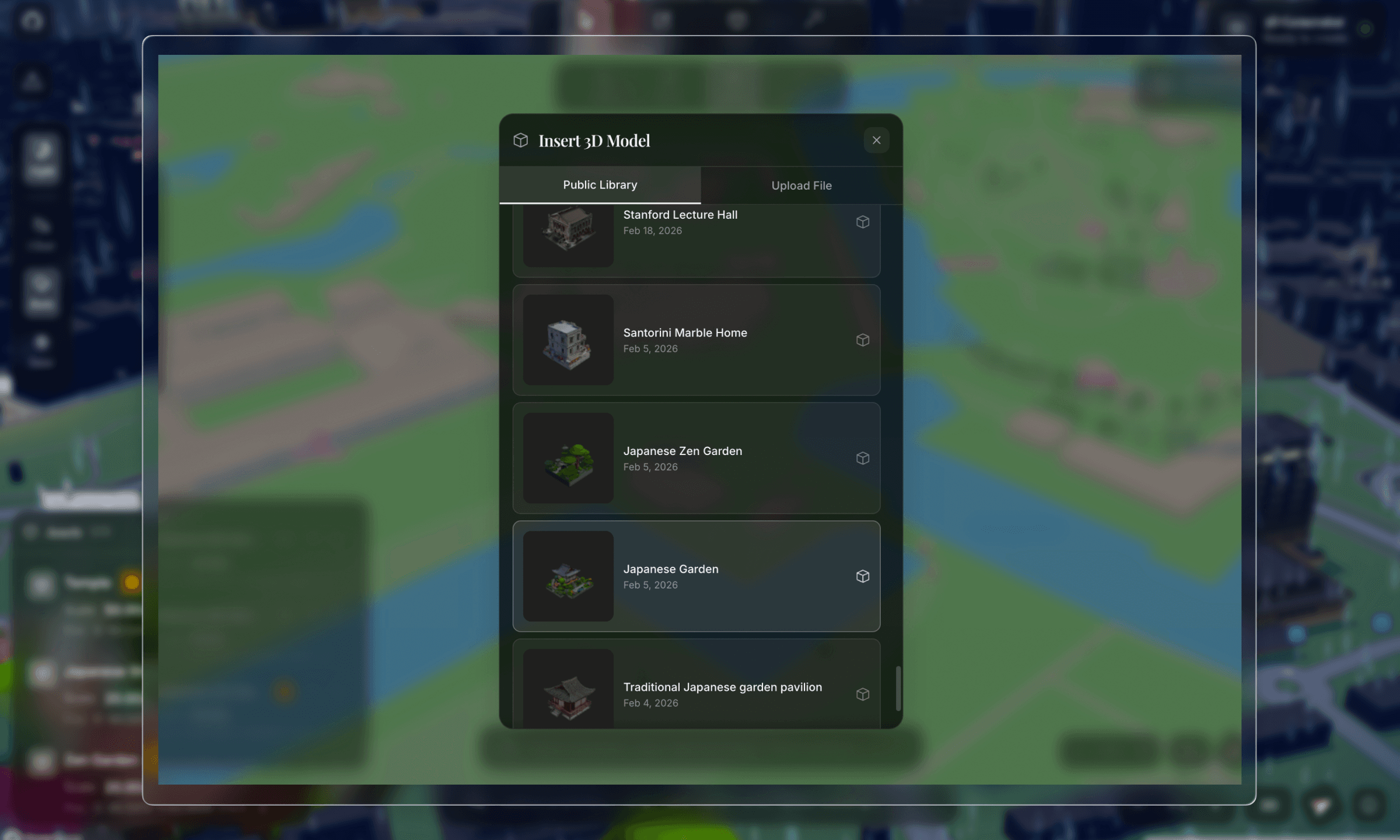
models with a supabase url are fetched from the cloud; local only models get their glb data restored from indexeddb and converted back to blob urls. world state saves are debounced by 1 second to avoid excessive writes during rapid interactions like dragging.
this is the core of arcki. the generation pipeline has three stages, each handled by a different ai model, running asynchronously with background tasks and polling.
because generation can take a long time (prompt complexity dependent), arcki kicks off the job asynchronously and polls for status updates every 1.5 seconds. redis tracks job state with a 2-hour ttl so stale jobs auto-expire.
stage 1: prompt cleaning (gpt-4o)the user types something like "japanese garden with stone lanterns". but dall-e needs a very specific prompt to produce images that work for 3d reconstruction, with isometric view, white background, specific lighting, and no shadows.
so arcki runs the user's prompt through gpt-4o with a heavily engineered system prompt:
server/app/services/openai_service.pySYSTEM_PROMPT = """You create prompts for DALL-E that generate images
optimized for AI 3D model reconstruction.
YOUR #1 RULE: DO NOT change what the user asked for.
If they say "garden", generate a garden — NOT a "garden pavilion".
LANDMARK RECOGNITION - THIS IS CRITICAL:
When the user asks for a KNOWN LANDMARK (e.g., "CN Tower", "Eiffel Tower"):
1. You MUST identify it as a known structure
2. You MUST include SPECIFIC VISUAL DETAILS from your knowledge
3. Set "is_landmark" to true in your response
CRITICAL FOR 3D RECONSTRUCTION:
- ISOMETRIC or 3/4 PERSPECTIVE VIEW showing 2-3 faces
- CLEAN WHITE BACKGROUND — no environment, ground, sky
- Subject CENTERED and ISOLATED
- FLOATING IN EMPTY WHITE SPACE
- SOFT EVEN STUDIO LIGHTING from multiple angles
- REALISTIC MATERIALS with accurate colors
- Subject should fill ~70% of the frame"""
this prompt was the result of a lot of trial and error. early iterations generated images with complex backgrounds, perspective distortion, and partial crops. all of that destroyed the reconstruction quality. the key insight was enforcing isometric views on white backgrounds, which gives the trellis model clean edges and tonal separation to extract geometry from.
gpt-4o returns a structured json response with the cleaned prompt, a dall-e optimized prompt, a short display name, and style tags.
landmark enhancementthe landmark detection and visual enhancement pipeline handles prompts for real buildings like "cn tower" or "empire state building" by enriching them with specific visual details.
the system first asks gpt-4o if the prompt references a real building. if it does, it scrapes reference images from the web using duckduckgo's image api, then runs them through gpt-4o vision to extract a detailed architectural description: exact shape, materials, colors, proportions, and distinctive features.
server/app/services/openai_service.pyasync def _enhance_prompt_for_landmarks(self, prompt: str) -> str:
# Step 1: Is this a real building?
check_result = ... # GPT-4o JSON classification
if check_result.get("is_real_building"):
# Step 2: Scrape reference images from DuckDuckGo
image_urls = await self._search_reference_images(search_query)
if image_urls:
# Step 3: Analyze with GPT-4o vision
enhanced = await self._analyze_reference_images(prompt, image_urls)
return enhanced
# Fallback: use GPT-4o's world knowledge
...
the reference image scraper uses duckduckgo's image api with vqd tokens. it's a stateless, no auth image search. the vision analysis then creates a detailed architectural description which gets fed into dall-e for a much more accurate rendering.
this means typing "cn tower" produces a model that actually looks like the cn tower, not a generic tower.
stage 2: image generation (dall-e 3)with the cleaned prompt, arcki generates the reference image. the dall-e prompt is heavily engineered:
server/app/services/openai_service.pyrender_prompt = (
f"Isometric 3/4 view from slightly above of {enhanced_prompt}, "
"COMPLETE building visible from roof to ground floor foundation, "
"building floats in pure white void with nothing underneath, "
"absolutely NO platform NO pedestal NO base NO ground NO floor, "
"bright even studio lighting from all angles eliminating shadows, "
"photorealistic materials with accurate vibrant colors, "
"the building is the ONLY object in the image, "
"professional product photography on seamless white"
)
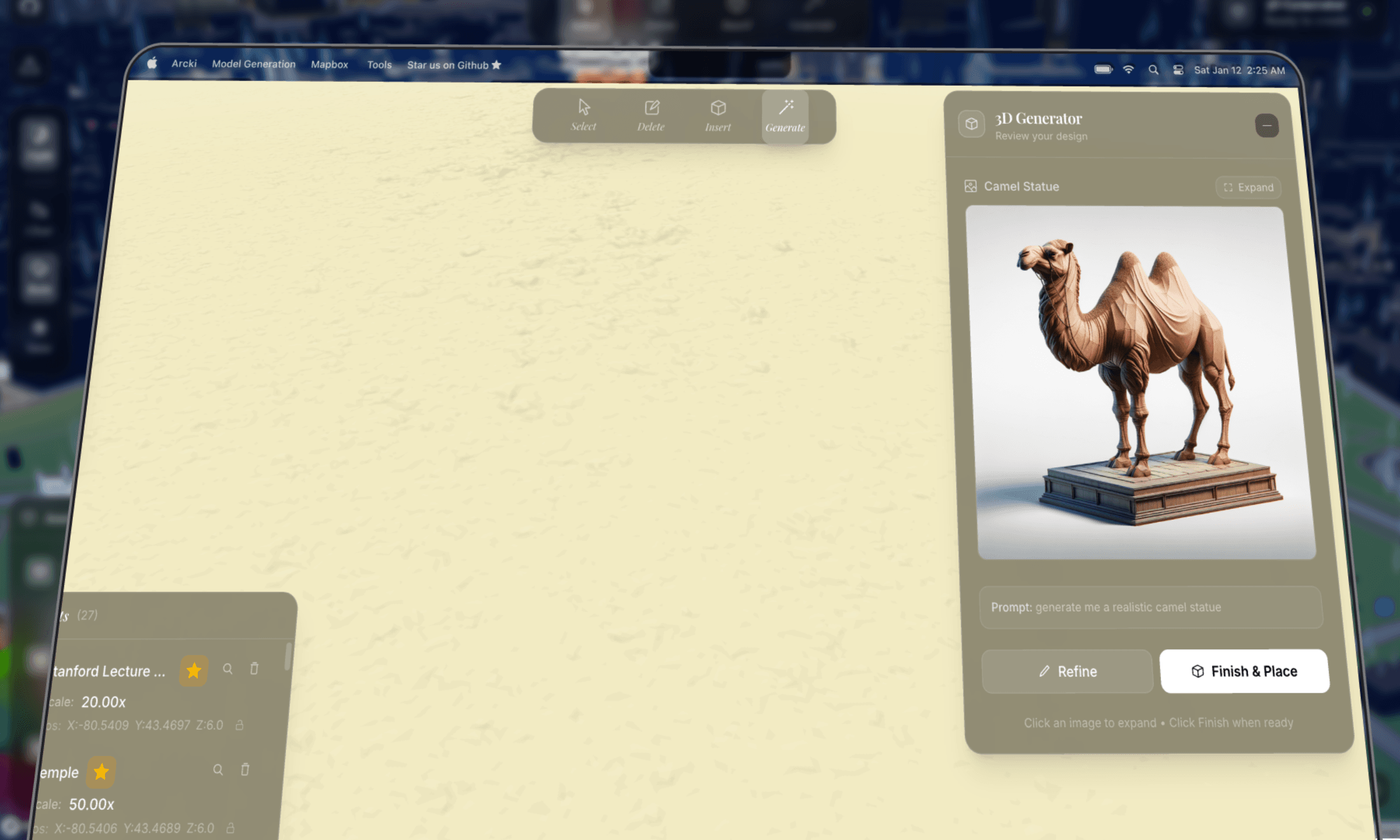
i also parallelized the main image generation with a "prettier" perspective preview using asyncio.gather(). the user sees the nice preview to review, while the reconstruction-optimized isometric version is what actually gets sent to trellis.
stage 3: 3d reconstruction (fal.ai trellis)this is where the image becomes a 3d model. arcki leverages the trellis model hosted on fal.ai which takes an image and outputs a textured glb mesh.
server/app/services/fal_service.pyTRELLIS_SINGLE = "fal-ai/trellis"
TRELLIS_MULTI = "fal-ai/trellis/multi"
result = await asyncio.to_thread(
fal_client.subscribe, endpoint,
arguments={
"image_url": image_url,
"texture_size": 1024,
"mesh_simplify": 0.95,
"ss_guidance_strength": 10.0,
"slat_guidance_strength": 5.0,
},
with_logs=True
)
the glb file is downloaded server side, stored in the outputs directory, and served to the client through a download endpoint. mesh_simplify: 0.95 keeps the mesh lightweight enough for browser rendering while preserving detail.
finding the right modeli spent a long time finding the optimal model for the pipeline.
my first attempt was running open source image to 3d models from hugging face and deploying them on modal. the idea was simple: host the model ourselves, avoid api costs, and control the pipeline end to end.
but in practice, the output quality was terrible. i was not happy with how the meshes and textures looked, and inference times were way too long for an interactive tool. i tried a few different models on the hub and none of them produced anything close to usable for placing on an interactive map (panning, transforming, etc were all factors on top of the base model).
after that i pivoted to fal.ai's hosted trellis model, and found that it was viable. it wasn't perfect and i had to finetune many aspects of the pipeline, but at the end of the day, it does the job.
the multi image experimenttrellis supports a multi image mode. you feed it multiple viewpoints of the same object, and it uses a stochastic algorithm to reconstruct better geometry than a single image can provide. in theory, more angles = more accurate mesh.
so i tried generating four isometric views with dall-e, front, back, left, and right, and feeding all four into trellis multi. the idea was to give the model complete coverage of the building.
the output sucked.the problem was shadows. even though the system prompt explicitly says "no shadows", dall-e 3 subtly bakes directional shadows into every image, with soft gradients on surfaces, ambient occlusion at edges, and slight darkening on one side. these shadows are consistent within a single image, but they're inconsistent across the four generated views.
trellis uses shading cues to infer surface depth and normal direction. when the lighting disagrees between images, one view has the left face bright and the right face dark, while another has the opposite. the reconstruction algorithm gets conflicting signals. it can't tell if a shadow is geometry (a recess or overhang) or just inconsistent lighting. the result was distorted meshes with phantom indentations and weird surface artifacts.
server/app/services/fal_service.py# Multi-image mode — works best with consistent lighting
if use_multi and image_urls and len(image_urls) > 1:
endpoint = self.TRELLIS_MULTI
arguments = {
"image_urls": image_urls,
"multiimage_algo": "stochastic",
}
this is actually super interesting. dug around and found a paper that talks about how inconsistent lighting/shadows across views generate worse output.
essentially, it turns out that a single well composed isometric image is far more reliable than four slightly inconsistent views because gen ai models today can't reliably reason when given inconsistencies across inputs.
the search bar isn't just a geocoder. it's an ai powered intent parser that understands natural language and maps it to actions.
every search query goes through gpt-4o to classify intent into one of eight action types:
server/app/services/openai_service.pySEARCH_INTENT_PROMPT = """Parse user queries to understand their intent.
Users may have typos, misspellings, or use informal language.
1. **action**: One of:
- "navigate": go to a specific location ("take me to Paris")
- "find_building": find by characteristics ("tallest building here")
- "set_weather": change weather ("make it rain")
- "set_time": change time of day ("night mode")
- "camera_control": adjust camera ("zoom in", "bird's eye")
- "delete_building": remove a building ("delete the CN Tower")
- "question": ask about a place ("how tall is the Burj Khalifa?")
CRITICAL RULES:
- use your world knowledge. "6th tallest building in the world"
→ navigate to "Goldin Finance 117, Tianjin, China"
- ALWAYS correct typos. "tke me to Prais" → "take me to Paris"
- For vague queries like "somewhere with good sunrises"
→ resolve to a REAL location: "Santorini, Greece"
"""
what makes this powerful is how it handles typo correction, world knowledge resolution, and vague queries simultaneously. "tke me to the eifel twoer" correctly resolves to "eiffel tower, paris". "bring me somewhere cold asf" could resolve to "tromsø, norway".
building searchfor find_building queries like "tallest building here", arcki fetches real building data from openstreetmap's overpass api with failover across multiple endpoints. buildings are ranked by the query's attribute: height, footprint area, or an "underdeveloped" heuristic that finds buildings with large footprints relative to their height (high area to height ratio = a lot of land "wasted" on a short building).
the delete_building action is fun. it geocodes the building, then generates a deletion polygon around it scaled to the building type. towers get small, precise polygons; stadiums and arenas get larger ones since they're wide.
geocodingbuilding selection uses nominatim for reverse geocoding. i wrote a display name shortener that strips long addresses into readable labels:
this prevents addresses like "cn tower, 301 front street west, entertainment district, toronto, golden horseshoe, ontario, m5v 3t6, canada" from cluttering the ui. it strips down to "cn tower, toronto, canada".
rendering 3d models on a mapbox map in the browser required careful optimization. heavy components like the toolbar, search bar, generator panel, and transform gizmo are wrapped with React.memo() to prevent rerenders when the map moves. modals and the tutorial are loaded with next/dynamic and ssr: false to keep the initial bundle small.
a subtle pitfall is that mapbox event handlers are registered once during initialization. without refs, they capture stale state from the initial render. so every piece of state that mapbox callbacks need is synced to a ref:
const activeToolRef = useRef(activeTool);
useEffect(() => {
  activeToolRef.current = activeTool;
}, [activeTool]);
// ... same for deletedFeatures, insertedModels, isPlacingModel, etc.
this pattern repeats for about a dozen state variables. it's not elegant, but it's necessary for mapbox's callback model.
each generated model costs approximately:
the cost varies depending on whether landmark enhancement triggers (extra gpt-4o vision calls + image search).
the pipeline, considering its nature, is pretty cost efficient!the technical challenges were genuinely hard. combining mapbox's terrain rendering with react three fiber, engineering prompts that produce reconstruction friendly images, building a multi stage async pipeline with job tracking, and persisting model data across browser sessions all took considerable planning.
the prompt engineering alone took ample iteration. small changes to the dall-e prompt, like adding "no pedestal" or "floating in white void", dramatically improved the output quality. the landmark enhancement pipeline was a late addition that made a huge difference.
the 3d model search was equally irritating. going from hugging face models on modal to fal.ai's trellis, then realizing multi image mode caused issues with dall-e's inconsistent shadows all show constraints of image to 3d reconstruction.
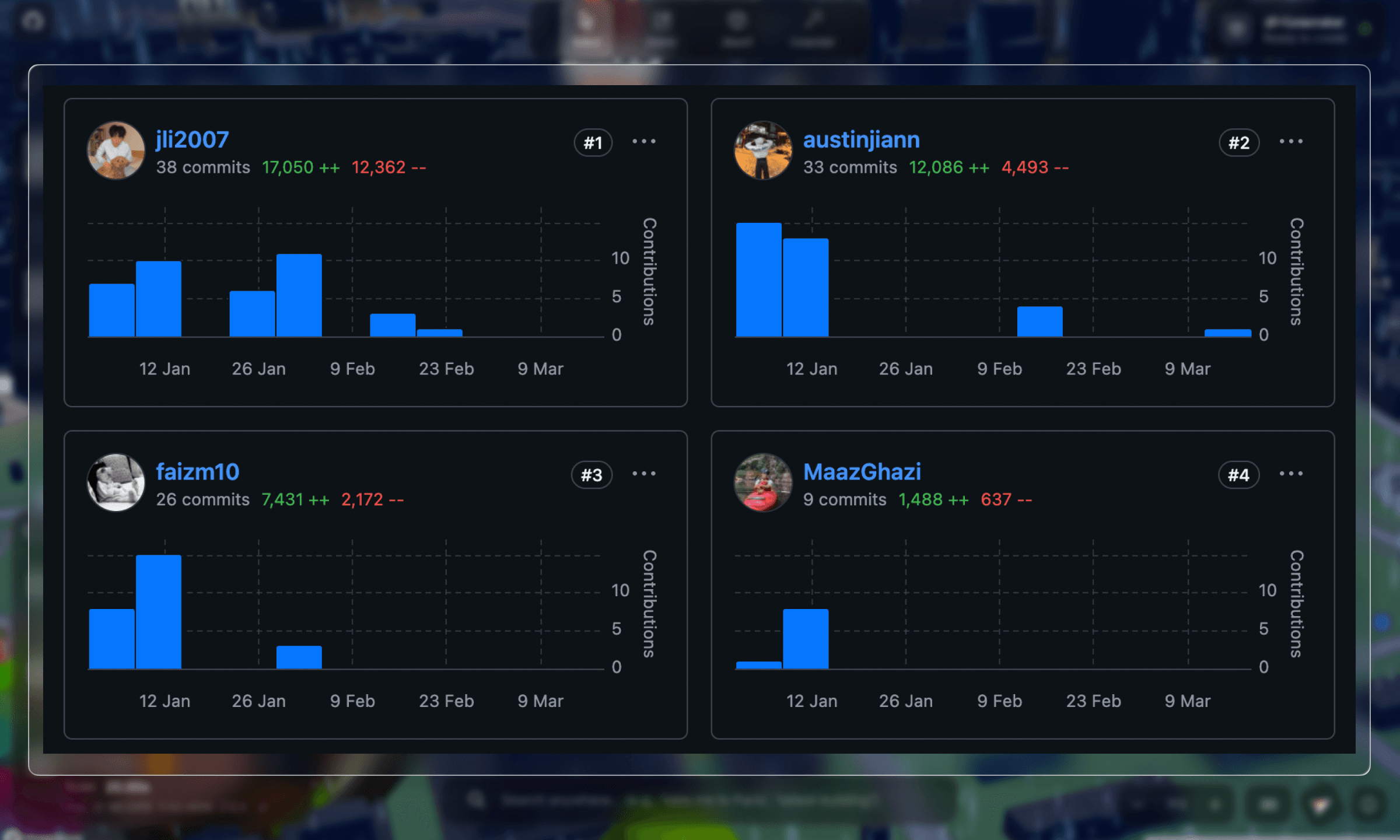
thanks to austin for doing most of the mapbox work, and faiz and maaz for helping with the image gen pipeline!
check out the github repo.