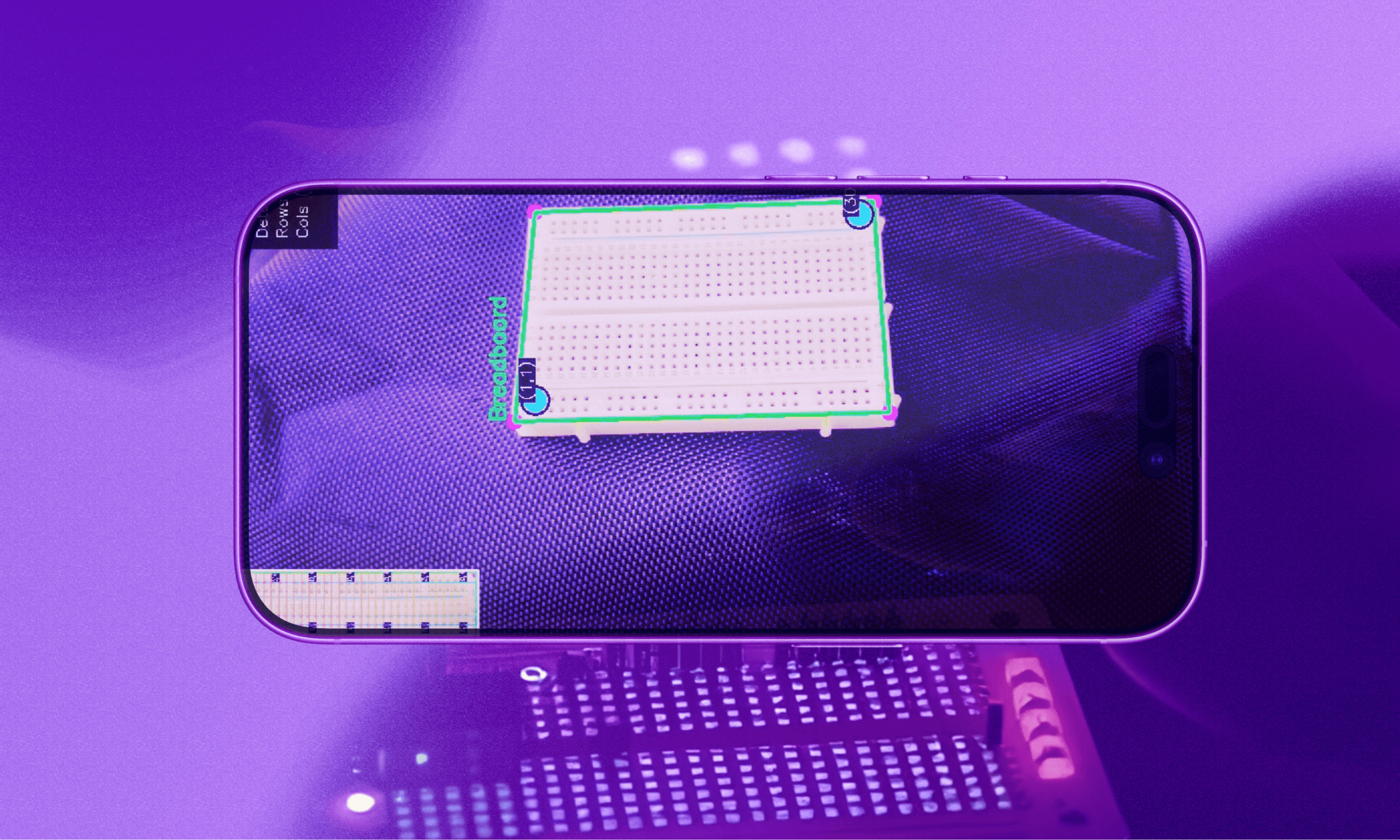
flowboard is cursor for animators that amassed 200k+ views, 150+ github stars, and more than 1000 users. instead of spending hours drawing frames from scratch, creators can now focus more on output rather than the tedious work.
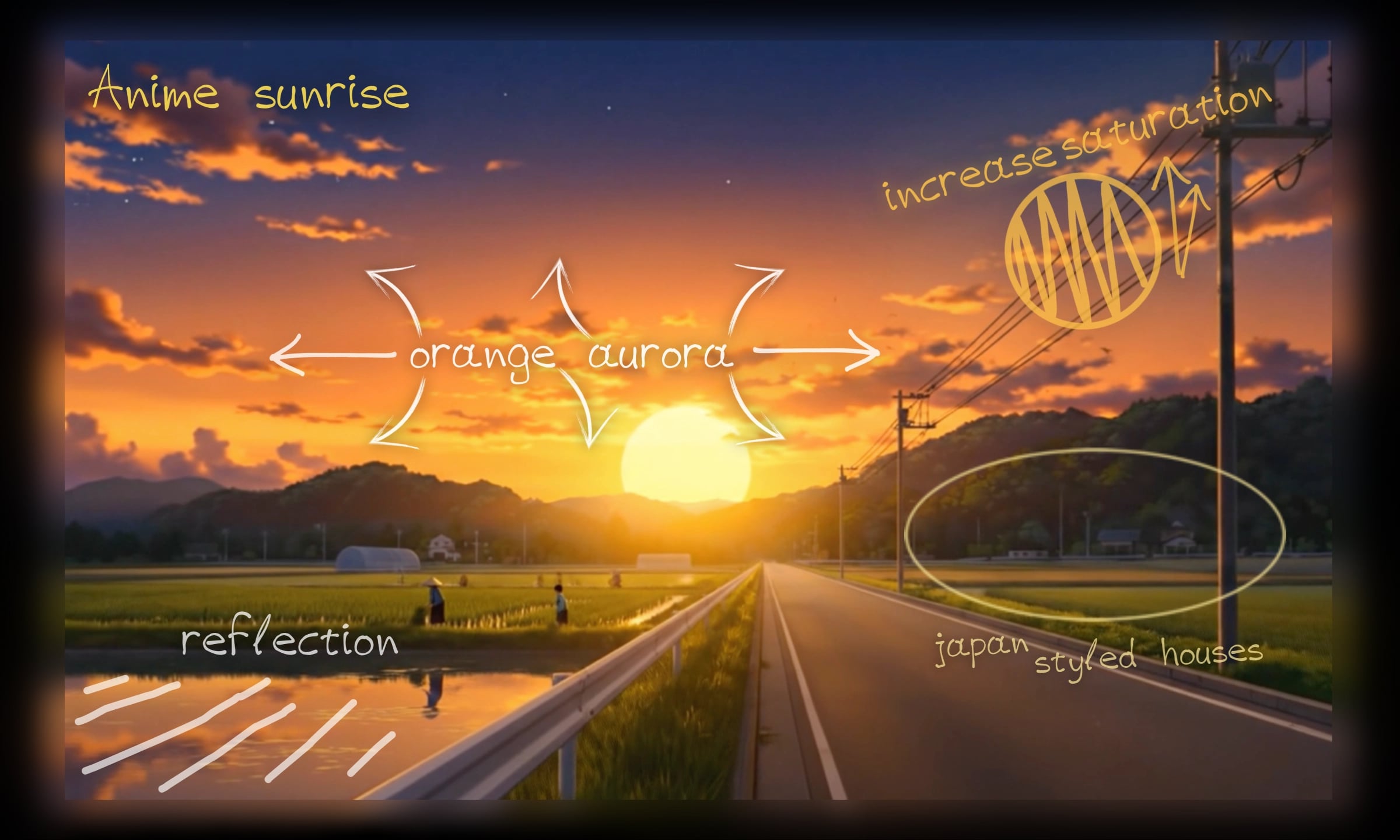
it has been a while since i attended a hackathon (surviving 1a in uwaterloo). flowboard was inspired by vibedraw and this tweet, which we took the intersection of.
the idea was refined into a frame-by-frame video generation tool for animators on a canvas (very fitting)!
 creating storyboard trees on the canvas
with frames laid out as a DAG, flowboard could generate 5-8s clips one at a time and then stitch them together by traversing the graph. global context was used in the form of json handoffs to make clips seamless upon combination, making sure the last frame of x = first frame of y, and so on.
flowboard consists of python serverless infra, dockerized and hosted on gcp, and a react interface hosted on vercel.
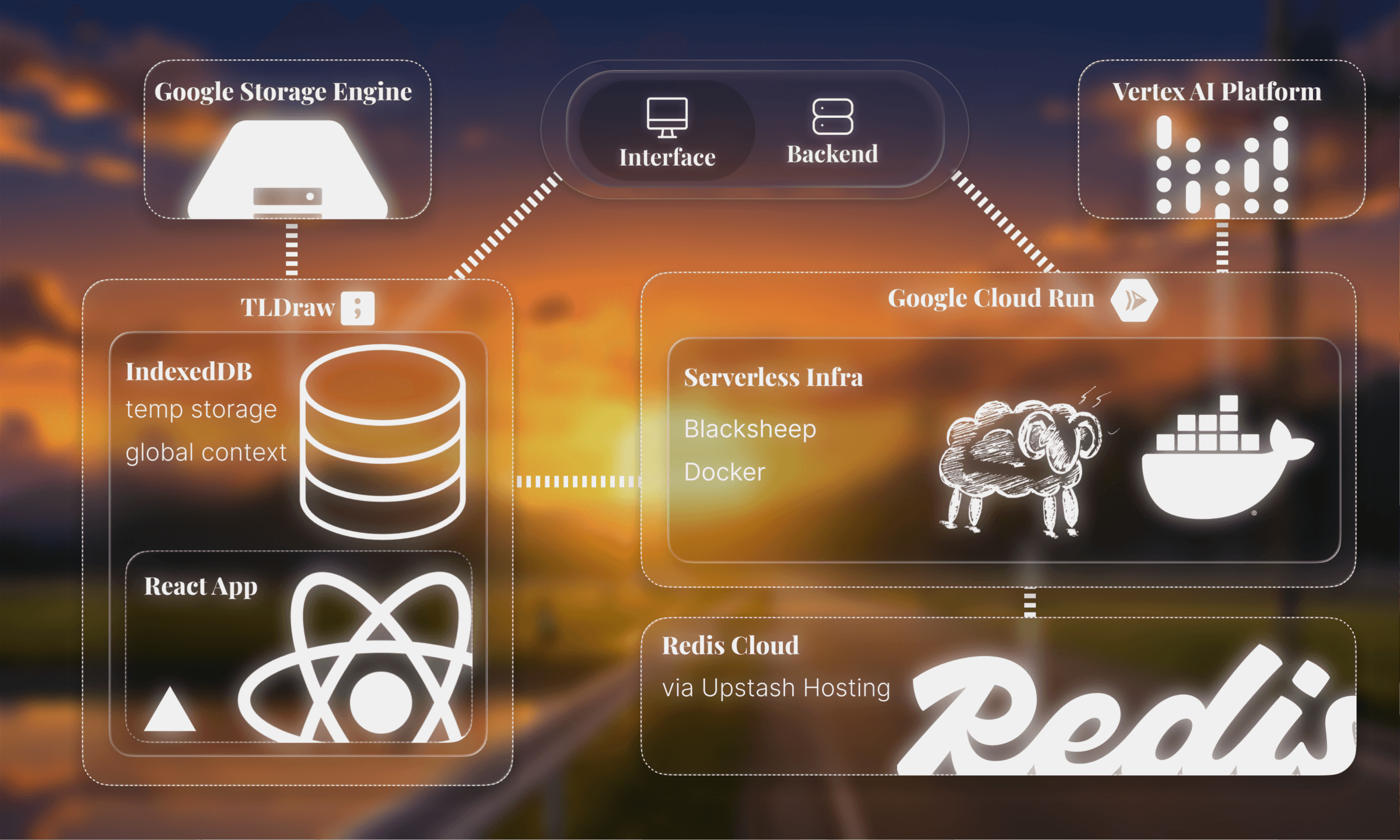
client-side, flowboard uses the tldraw sdk for the canvas, and indexeddb as a low level client-side store for global context and temporary storage.
on the backend, google cloud run deploys and runs a dockerized python blacksheep asgi service. redis is used for caching while vertex ai handles veo generation.
google cloud storage facilitates file storage via buckets.
each flowboard project begins with one 16:9 frame. this is the starting frame where users can upload images and annotate with the built in tldraw tools, then generate animations.
on an infinite canvas, users can design full animation storyboards one frame at a time.
initial ui pitfallsalthough flowboard is basically a 'tldraw wrapper', there are many small nuances that made the initial development incredibly difficult.
the nature of this concept is genuinely more intricate than it seems. sure, parents have children, which have more and more children, like a directed graph.
but what if the user wants to change previous frames? and how could sequential frames be designed to look coherent when they are generated in separate api calls?the first main blocker arose from bounds. tldraw shapes were not the nicest thing to work with, and i spent a long time getting the initial 16:9 frame to bind images and native user edits onto the frame.
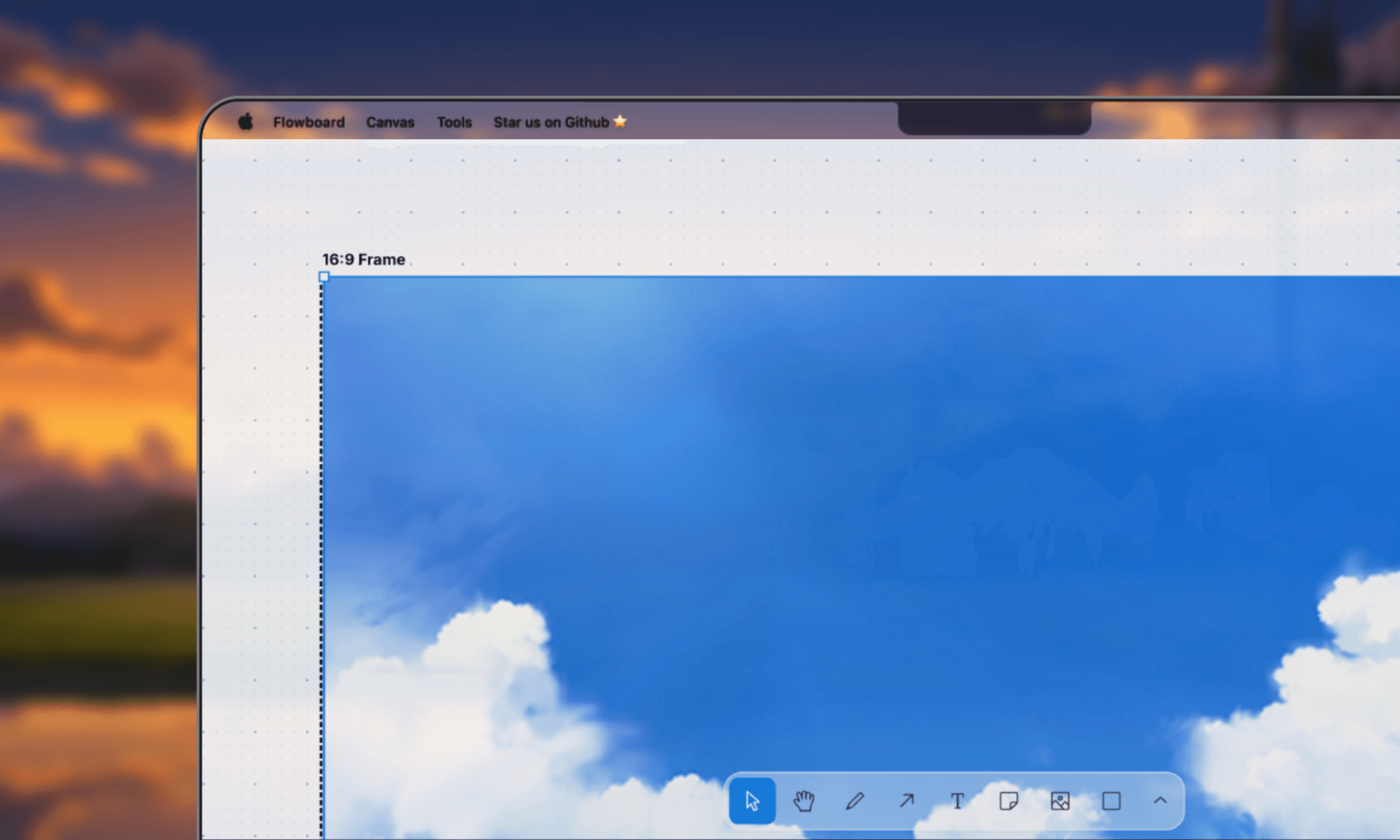
to fix the bounds problem, i created a parent-child relationship.
frontend/src/components/canvas/FrameActionMenu.tsx// creates a child shape
const shape: TLShapePartial = {
id: imageShapeId,
type: "image",
x,
y,
parentId: frame.id, // this sets the parent
props: {
assetId,
w: scaledW,
h: scaledH,
},
};
// deleting all children for a parent
const childIds = editor.getSortedChildIdsForParent(shapeId);
if (childIds.length > 0) {
editor.deleteShapes(childIds);
}
the key idea was that: tldraw shapes needed explicit parent-child relationships via parentId rather than positioning shapes "inside" the frame's bounds.
child shapes use relative coordinates to their parent. when you place an image at (x, y) with parentId: frame.id, those coordinates are relative to the frame's top-left corner, not the canvas.
additionally, this parent pointer is what makes frame moves cheap. because every child stores a parentId back to its frame, it's effectively a linked structure rather than flat shapes on a canvas, so moving a frame doesn't require searching the whole canvas for its children. flowboard just walks the pointers via getSortedChildIdsForParent() to get/delete exactly that frame's children, so a move is O(children), not O(everything on the canvas).
the second issue was positioning the arrows correctly.
the canvas involves arrows, which indicate order of frames.
i initially tried to manually place the arrows, but eventually ran into critical issues: the ui would break when frames were moved around, and glitch when overlapping.
i fixed this with tldraw's binding system:
frontend/src/components/canvas/ArrowActionMenu.tsxconst info = useValue(
"arrow info",
() => {
const arrows = editor.getCurrentPageShapes().
filter((s) => s.type === "arrow");
return arrows.map((shape) => {
// Get tldraw's computed bounds (not manual calculation)
const bounds = editor.getShapePageBounds(shape.id);
// Position at arrow's center
const center = {
x: bounds.x + bounds.w / 2,
y: bounds.y + bounds.h / 2,
};
return { id: shape.id, x: center.x, y: center.y /* ... */ };
});
},
[editor]
);
instead of manually placing the arrow, i used editor.getShapePageBounds(shapeId) which returns tldraw's computed bounds for the arrow based on its bindings.
when frames move → bindings update arrows → bounds change → tldraw's useValue hook re-computes → ui repositions automatically.
frame toolbarthese are additional actions for the user on top of the tldraw native tooling.
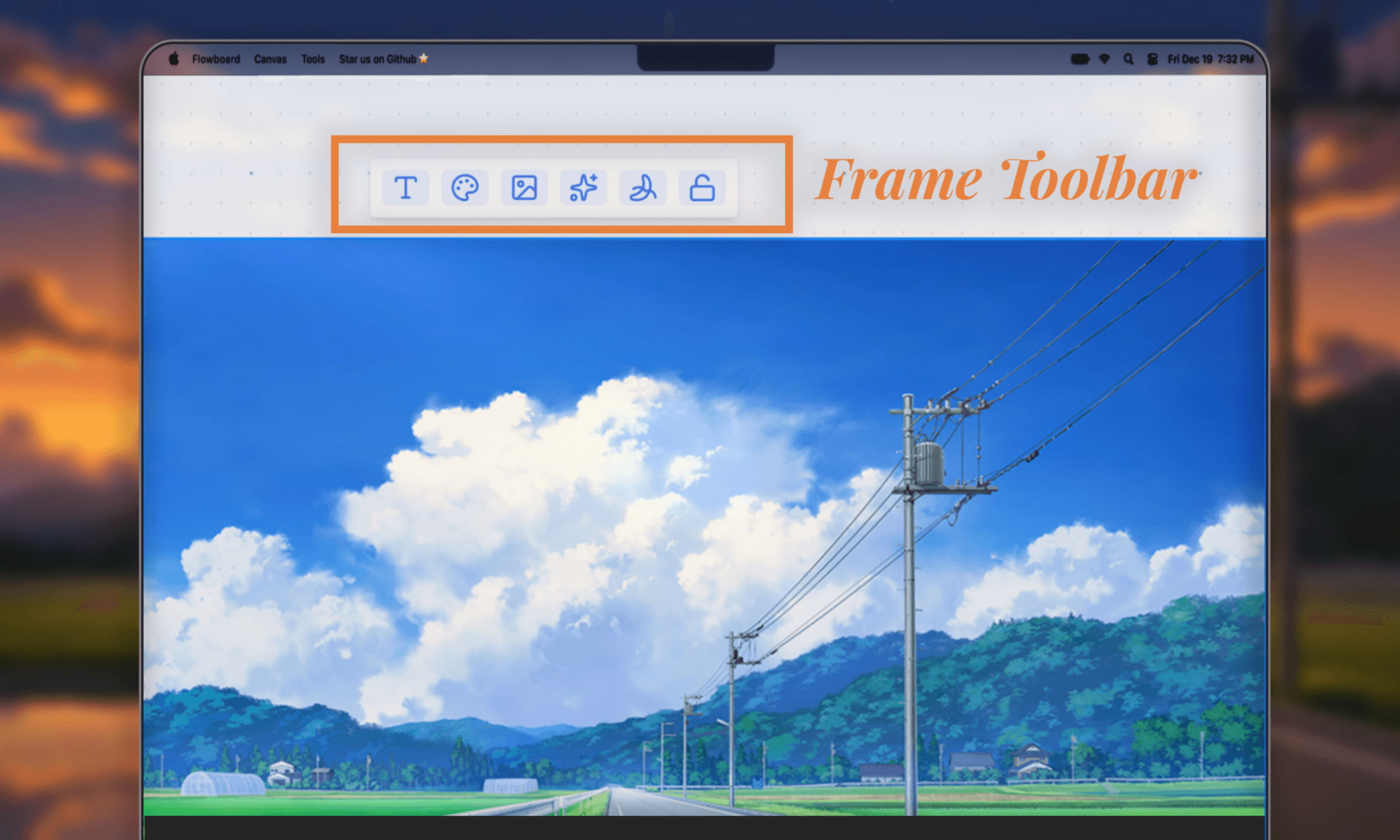
the three most crucial tools include image upload, image enhancement, and generate video.
uploading an imageuploads an input file directly into the frame. it scales the image to fit within the frame while maintaining the aspect ratio.
frontend/src/components/canvas/FrameActionMenu.tsxconst imageShapeId = createShapeId();
const shape: TLShapePartial = {
id: imageShapeId,
type: "image",
x,
y,
parentId: frame.id,
props: {
assetId,
w: scaledW,
h: scaledH,
},
};
editor.createShapes([shape]);
it then creates a shape and sets parentId: frame.id, like described in initial ui pitfalls.
enhancing raw sketchesthis feature uses nanobanana via vertex ai platform to make sketches better.
i'm terrible at drawing so i instantly upgrade my drawing with one click.
generating the animationthis button sends the whole frame, with all the children shapes added through image upload and tldraw tools, as well as a text prompt, to veo 3.
frontend/src/components/canvas/FrameActionMenu.tsx// Capture frame as image
const { blob } = await editor.toImage([shapeId], {
format: "png",
scale: 1,
background: true,
padding: 0,
});
// Send to Veo 3 API
const formData = new FormData();
formData.append("custom_prompt", promptText);
formData.append("global_context", JSON.stringify(context?.sceneState ?? {}));
formData.append("files", blob);
const response = await apiFetch(`${backend_url}/api/jobs/video`, {
method: "POST",
body: formData,
});
const { job_id } = await response.json();
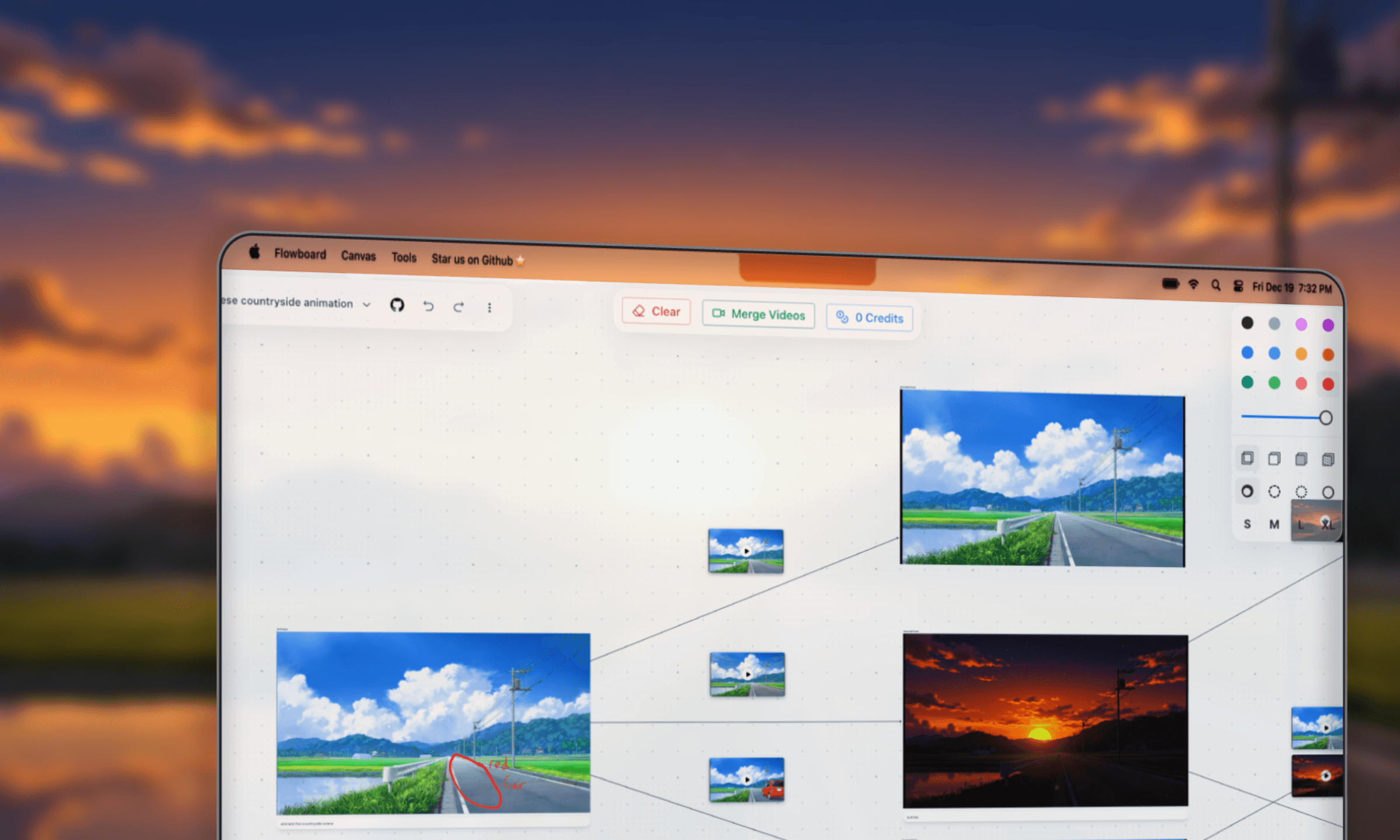
the post request creates a job in the backend to generate the animation.
later in the process, flowboard makes a new frame using the final shot of the video and an arrow component that connects them. this action is unbounded, which is the fundamental concept of flowboard.
global contextfor animations to be coherent together, flowboard uses the idb-keyval npm package for global context.
flowboard manages context through a custom hook: frontend/src/hooks/useGlobalContext.ts, which persists clips and scene context in react state, which gets passed into successive animation calls.
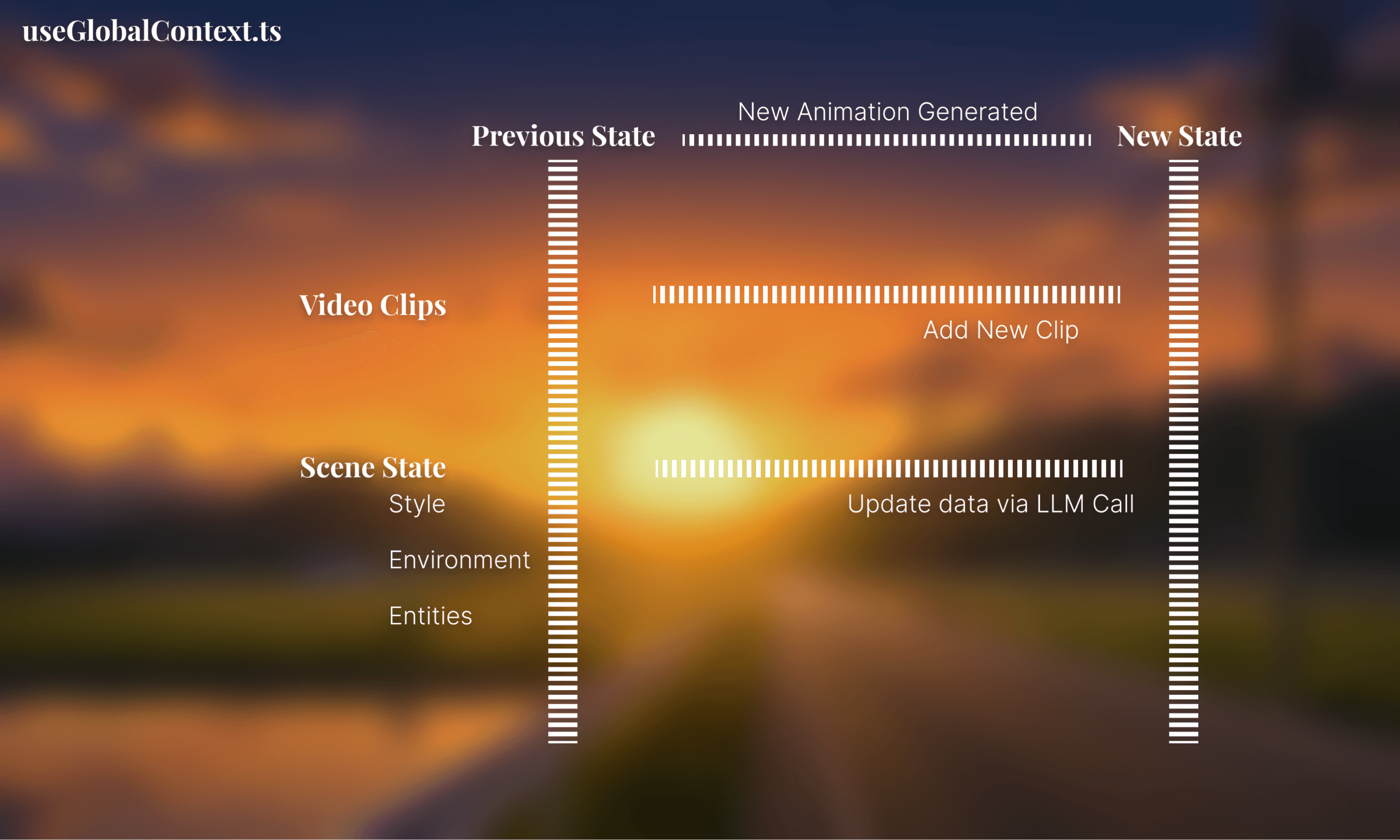
after each animation call, this state is updated to reflect the latest animation state.
the backend follows a service-based architecture:
backend/controllers/ http route handlers
backend/models/ dataclasses
backend/scripts/ sql db scripts
backend/services/ logic layer
backend/utils/ helper utils
video generationvideo generation follows an async, non-blocking architecture where users get instant job ids and poll for completion.
when a user clicks generate, the frontend captures the frame as a png and sends it with the prompt to the backend:
backend/controllers/jobs.py@post("/video")
async def add_video_job(self, request: Request):
files = await request.files()
image_file = files[0]
# Create job, instant return
job_id = await self.job_service.create_video_job(data)
return json({"job_id": job_id})
the job service creates a unique job id and fires a background task without blocking the response.
in the background task, flowboard parallelizes image processing using asyncio.gather() to analyze annotations and remove text simultaneously:
backend/services/job_service.pyasync def _process_video_job(self, job_id: str, request: VideoJobRequest):
# PARALLEL: Analyze annotations + Remove text
tasks = [
self.vertex_service.analyze_image_content(
prompt="Describe animation annotations...",
image_data=request.starting_image
),
self.vertex_service.generate_image_content(
prompt="Remove all text, captions, annotations...",
image=request.starting_image
)
]
# Wait for both to complete
results = await asyncio.gather(*tasks)
annotation_description = results[0]
starting_frame = results[1] # Cleaned image
# Generate video with Veo 3 ...
the vertex service calls the veo 3.1 model and saves videos directly to google cloud storage buckets:
meanwhile, the frontend polls for status by repeatedly calling the status endpoint:
backend/controllers/jobs.py@get("/video/{job_id}")
async def get_video_job_status(self, job_id: str):
jobStatus = await self.job_service.get_video_job_status(job_id)
if jobStatus.status == "waiting":
return json({"status": "waiting", ...}, status=202)
if jobStatus.status == "done":
return json({
"status": "done",
"video_url": jobStatus.video_url,
...
})
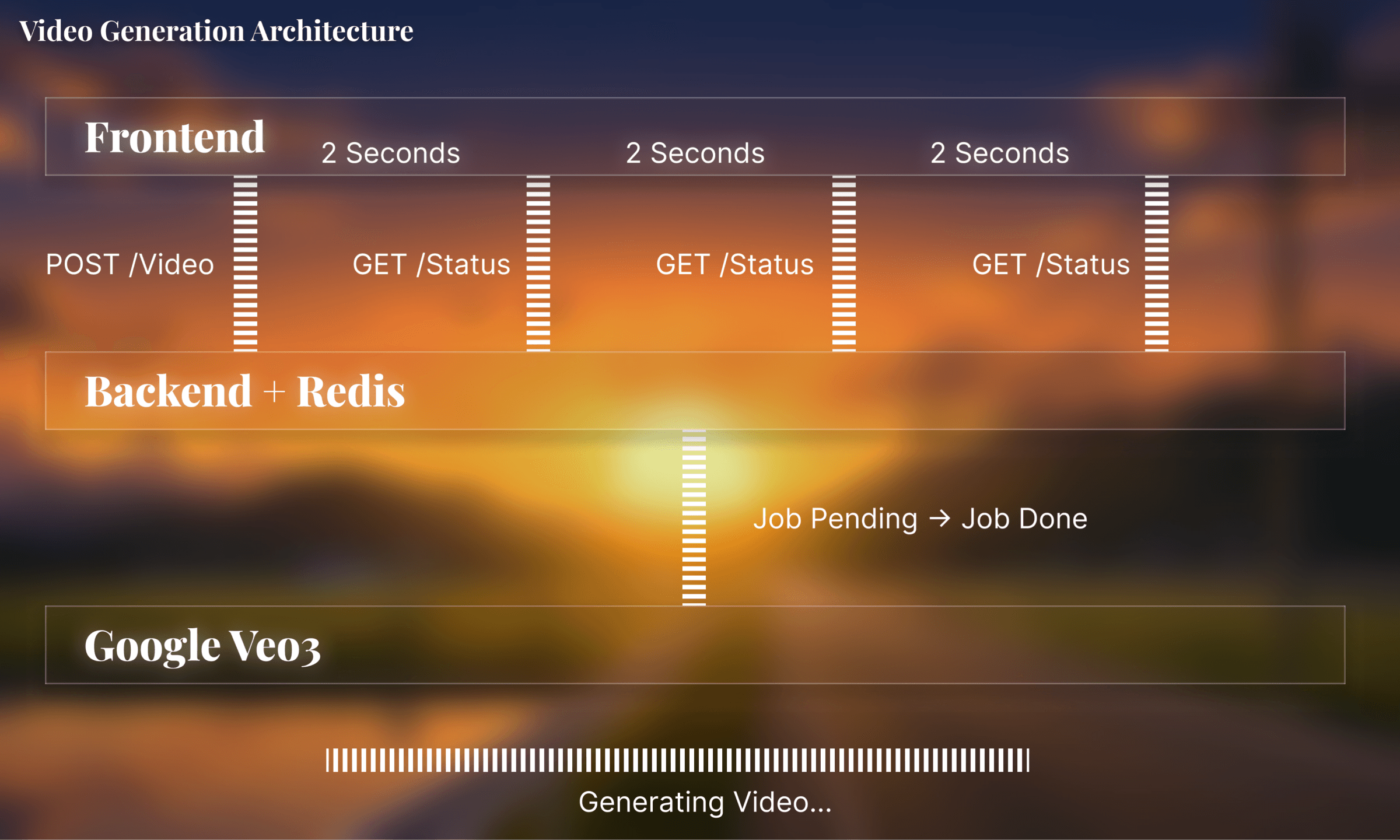
upon success, the status check queries google's operation and converts the storage url that was uploaded by the job to a public https link.
now with a public video link, it's displayed on the frontend.
this architecture optimizes short video generation: parallel processing and redis caching keep the system efficient.
redis cloudredis acts as a temporary job queue for tracking video generation progress. since veo 3 takes 20-40 seconds to generate videos, flowboard needed fast, ephemeral storage for job state.
redis stores three types of job states with 5-minute ttls for automatic cleanup:
backend/services/job_service.py# Pending: User just submitted, processing hasn't started
self.redis_client.setex(f"job:{job_id}:pending", 300, self._serialize(pending_job))
# Active: Processing with Google, stores operation name for polling
self.redis_client.setex(f"job:{job_id}", 300, self._serialize(job))
# Error: Failed during generation
self.redis_client.setex(f"job:{job_id}:error", 300, self._serialize(error_job))
job data is compressed with lzma before storing to save memory, especially important for operation metadata:
backend/services/job_service.pydef _serialize(self, data: dict) -> bytes:
"""Serialize + compress data for Redis storage"""
return lzma.compress(pickle.dumps(data))
def _deserialize(self, data: bytes) -> Optional[dict]:
"""Decompress bytes from Redis storage"""
if not data:
return None
return pickle.loads(lzma.decompress(data))
when status is polled, redis provides sub-millisecond lookups. once the video is done, the job is automatically deleted from redis:
backend/services/job_service.pyif result.status == "done":
self.redis_client.delete(f"job:{job_id}") # Clean from redis
redis was chosen over a traditional database because job data is temporary, needs sub-millisecond reads for frequent polling, and auto-expires without manual cleanup. it also integrates well with supabase.
the team spent the next week refining flowboard instead of studying for quizzes and upcoming exams.
a stripe based payment system was integrated using autumn, and a video merging feature that allowed users to download storyboards from start to finish was added.
the ui, concept, and branding were also refined.
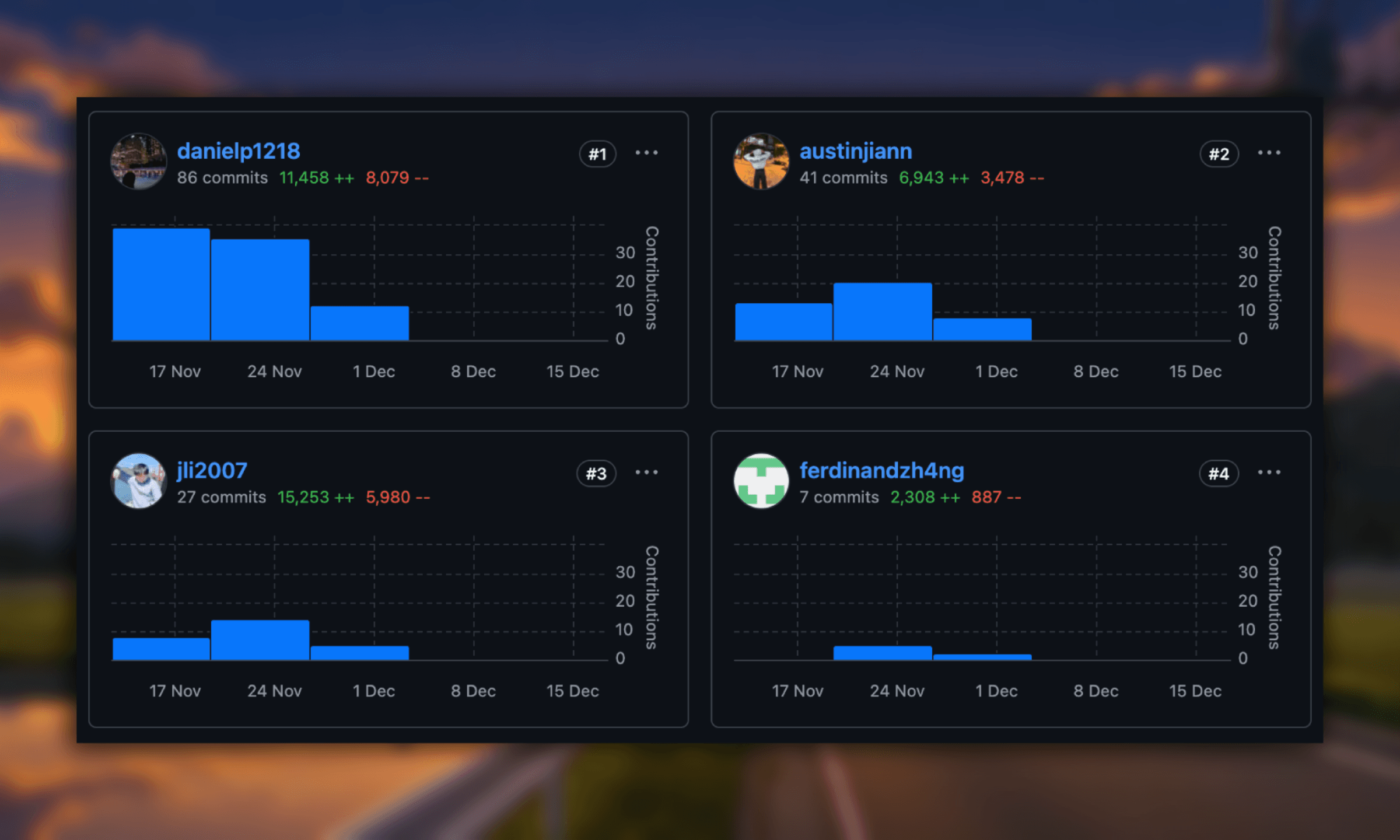
we launched a week after hackwestern. austin's linkedin post hit ~250k impressions and 1.5k+ likes. the github repo also took off; this is my first project with more than 150 stars!
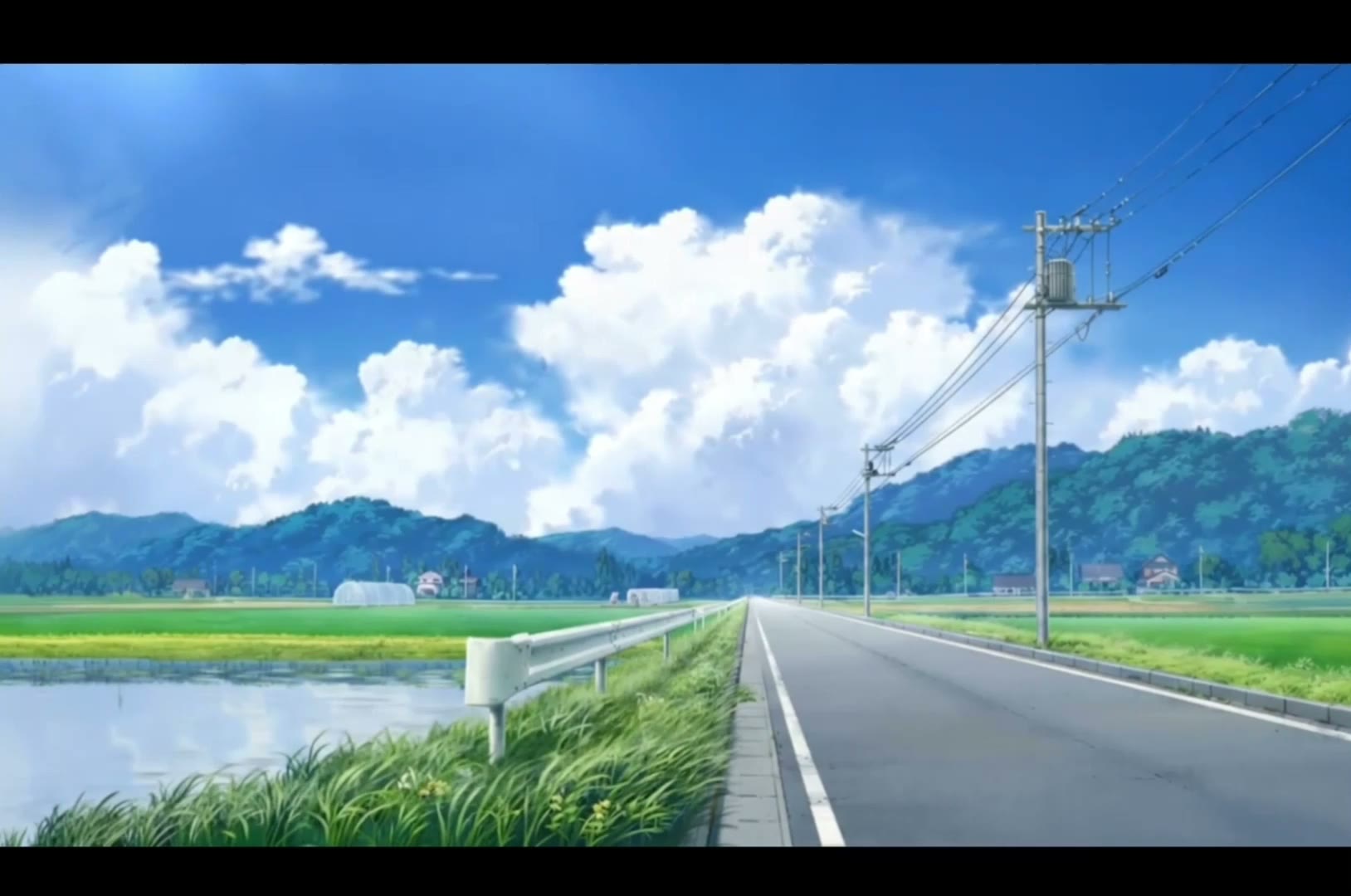
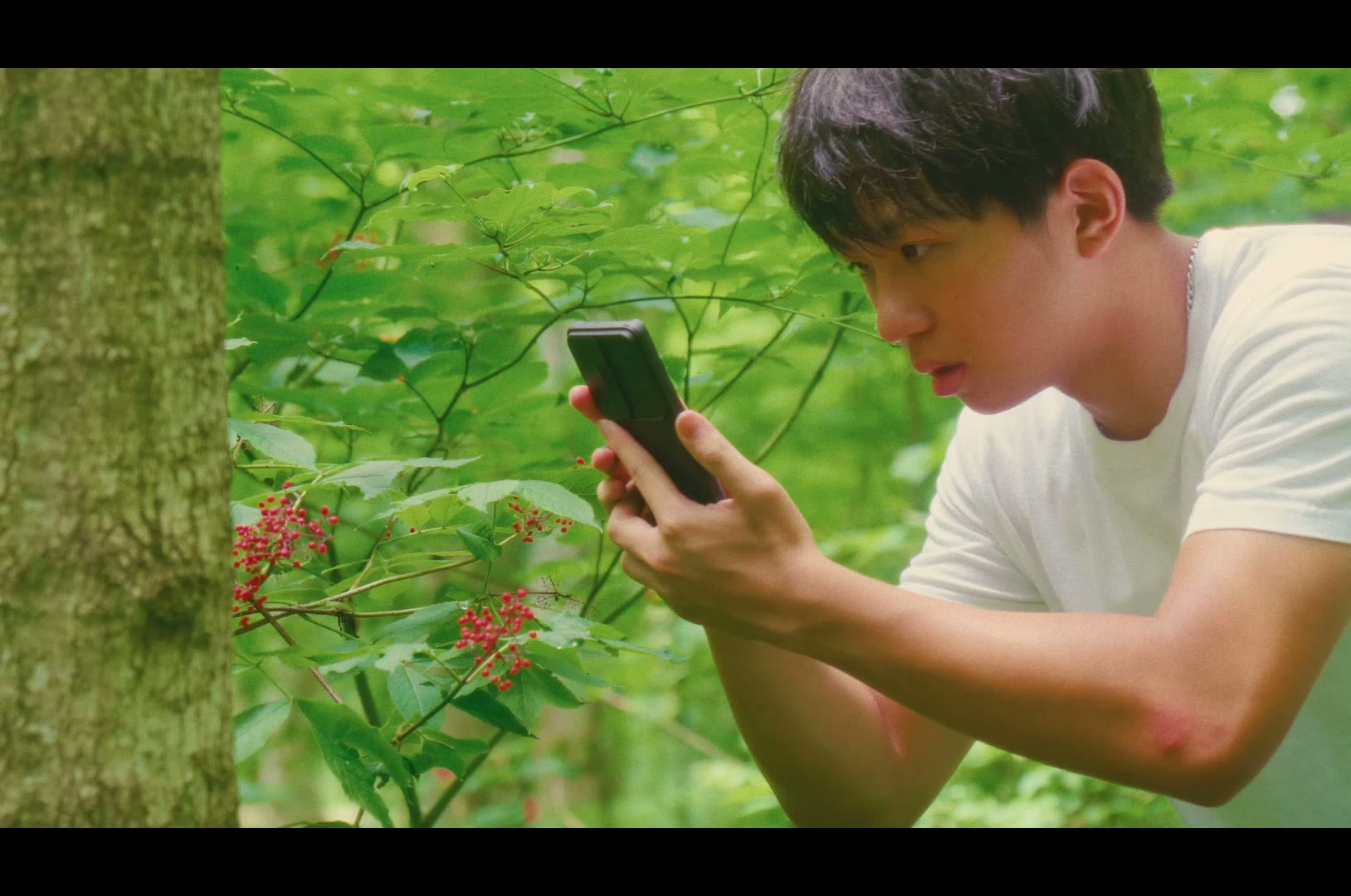
here are some cool animations i made with flowboard: